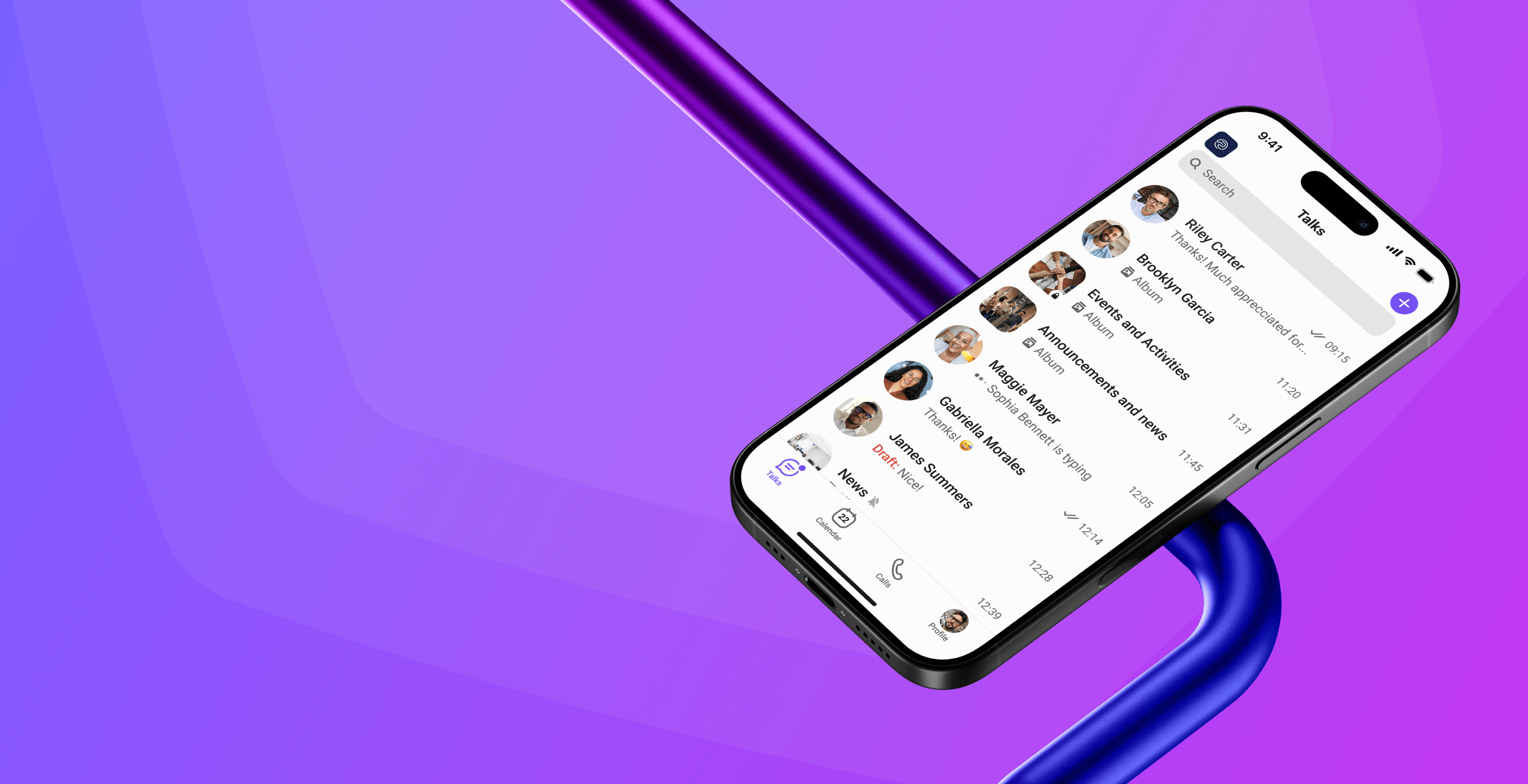
Gem Team: A Truly Secure Messenger
for Modern Business
of Zero Trust and
Total Control. This means our system trusts no one — neither users nor devices — and constantly monitors every component. The entire platform architecture, from servers to cryptography, is designed for maximum security.
This makes Gem Team
a truly secure messenger for your business.
Built-In Security Mechanisms
Gem Team is more than just an encrypted chat;
it's a comprehensive security platform that includes:
End-to-End Encryption with high standards
All messages, calls, video conferences, and files are protected by secure cryptographic algorithms. Our secure messaging app ensures your conversations remain private.
Flexible Multi-Factor Authentication (MFA)
Our system automatically adapts to risk levels, requiring additional authentication for logins from new devices
or suspicious IPs.
Strict Access Control
Customize user permissions, down to preventing text copying, file forwarding, and taking screenshots.
Centralized Administration
Manage user accounts, access rights,
and security settings
from one convenient admin panel.
Secure Migration
Safely transfer data (emails, chats, calendars) without risk.
Integration with
Certification Authorities
Use hardware keys, tokens,
and biometrics for authentication.
"Closed Zone" Mode
Create secure, internal communication channels
that
are inaccessible from
external networks.
End-to-End Encryption with high standards
All messages, calls, video conferences, and files are protected by secure cryptographic algorithms. Our secure messaging app ensures your conversations remain private.
Flexible Multi-Factor Authentication (MFA)
Our system automatically adapts to risk levels, requiring additional authentication for logins from new devices
or suspicious IPs.
Strict Access Control
Customize user permissions, down to preventing text copying, file forwarding, and taking screenshots.
Centralized Administration
Manage user accounts, access rights,
and security settings
from one convenient admin panel.
Secure Migration
Safely transfer data (emails, chats, calendars) without risk.
Integration with
Certification Authorities
Use hardware keys, tokens,
and biometrics for authentication.
"Closed Zone" Mode
Create secure, internal communication channels
that
are inaccessible from
external networks.
Adaptive Multi-Factor Authentication (Adaptive MFA)
Adaptive MFA in Gem Team is integrated at the core of the messenger's security kernel and works across all clients, including mobile and web versions.
Gem Team supports
the following
authentication factors
Password or PIN

One-Time Passcodes (OTP) via authenticator apps
(TOTP)

Hardware tokens (FIDO2, USB keys, smart cards).

Biometrics (fingerprint, facial recognition).

Login confirmation via another trusted device.

Logic and examples of adaptive scenarios
a familiar location
a new device, during off-hours
is required.
Comprehensive Encryption
Emergency Mode Support
Gem Team can be optionally configured to operate in crisis scenarios, including:
Autonomous operation without connection
to the global internet.
Automatic information destruction upon
an alert signal.

Support for urgent group notifications
and mass broadcasts.

Failover recovery from
a backup core in case
of main system failure.